Family members and older relatives
The simple version, for helping your family
No tech skills needed. Do the seven tasks below, and in one weekend afternoon you'll have what matters most for a power or internet outage.
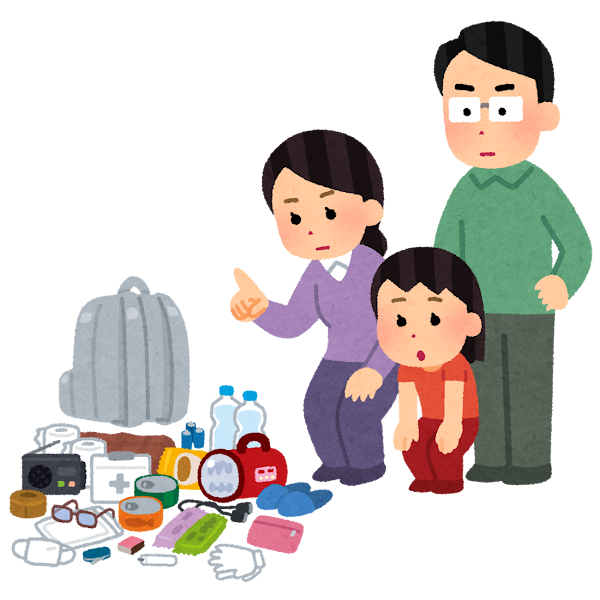
A digital go-bag for your family (one page for your family)
Go in order. Check each one off when it's done. Each check adds one more thing to the go-bag.
0 of 7 done
The first six take about 85 minutes, plus time to compare prices. All of it takes one weekend afternoon.

A digital go-bag for your family
✂ Tear off this page and give it to your family
All of it takes one weekend afternoon
You don't need tech skills for this page. The times are on the left. Do the tasks in any order, and check each one off when it's done.All of it costs far less than installing an air conditioner.
| How long | What to do | Done | Who |
|---|---|---|---|
| 5 minutes | Download offline (Without the internet. You can still open it and use it.) maps on everyone's phone (three areas: home, work, and your family's hometown) | ||
| 5 minutes | Pick 10 key phone numbers, copy them onto paper, and put it on the fridge | ||
| 10 minutes | Print the 2FA backup codes (Spare codes for two-step sign-in. When you sign in, you type your password and then a code sent to your phone. A backup code is a one-time code you can use instead when your phone isn't with you.) for all your accounts and keep them with your bank passbook | ||
| 15 minutes | Agree on a meetup rule for outages: if the internet is down for more than half a day, where and when you'll meet | ||
| 20 minutes | In Google Drive Desktop (The Google Drive program you install on a computer. It keeps folders on the computer in sync with the cloud.), switch your family's important folders to Mirror (Both sides always match. Change something on one side, and the other side changes too.) (the whole folder syncs both ways, automatically) | ||
| 30 minutes | Buy a portable hard drive (A small storage device you plug into a computer. It doesn't need the internet.), drag your "can't lose" folders onto it, and write the date on it. Next time you visit your family's hometown, leave it with a relative | ||
| Compare prices | Get a ~300Wh portable power station (A small box with a battery inside. You can plug things into it. Wh (watt-hours) measures how much power it holds. The bigger the number, the longer it lasts.) for your home (or at least a large power bank) to keep the router and phones running through a blackout night |
Things to read, watch, and hear offline: save them now
It's 8 p.m., and the internet is down. No streaming. No podcasts (Talk shows on the internet. Think of radio programs you can play anytime.). The kids are restless, and the grown-ups are anxious.
Getting through those evenings is part of resilience too.
One weekend of downloading does it, and you don't have to wait for an outage to enjoy them.
⚠ "Downloaded" doesn't mean "you own it"
| What it is | When the internet is down | The real deadline |
|---|---|---|
| Spotify / Apple Music offline (Without the internet. You can still open it and use it.) | ◐ | It has to go online about every 30 days to check in, or your offline (Without the internet. You can still open it and use it.) library locks |
| YouTube offline (Without the internet. You can still open it and use it.) videos | ◐ | Also about 30 days, and the app (A program on a phone or computer, such as a video player.) has to open |
| E-books borrowed from the library | ○ | Gone the day the loan ends, internet or no internet |
| MP3 / FLAC (File types for music. Music files you bought can be copied to any device and played without the internet.) / epub (A file type for e-books. Phones and computers can both open it.) files you bought | ● | No deadline. They open on any device you copy them to |
| Paper books | ● | No deadline, and no power needed (just a lamp) |
◐ Works offline, but has to go online now and then · ● Works, with no deadline · ○ Gone when the loan ends
You think you downloaded it. You only rented it for 30 days.Only files and paper are truly offline.Each service's rules can change, so check them yourself before you rely on them. For anything you want to keep for good, buy the DRM-free (Files with no DRM (digital rights management) limits. You can copy them anywhere, and they still open.) version or the paper book.
Digital resilience · Worksheet | Household Digital Go-BagEmergency contact sheet for the fridge(Fill it in, tear it off, and stick it on the fridge with a magnet)
| # | Name | Phone | Relationship or role |
|---|---|---|---|
| 1 | |||
| 2 | |||
| 3 | |||
| 4 | |||
| 5 |
| # | Name | Phone | Relationship or role |
|---|---|---|---|
| 6 | |||
| 7 | |||
| 8 | |||
| 9 | |||
| 10 |
What you type here stays in this device's browser and is never uploaded. If you change phones or clear your browser data, it's gone, so copy it onto paper too.
See also
These pages explain the things this page mentions in more detail.
Next steps
When you've finished this page, read these next.
- Why build a digital go-bagHow do internet and power outages break a family's daily routine? Understand the risks first, and you'll know what to pack.
- What's the Household Digital Go-Bag?One page on what this kit does, who it's for, and where to start.
- 2026 Urban Resilience Exercise: your 30-minute guide to getting by online (in Chinese) (opens in a new window)How to get through the half hour of the mobile data slowdown drill: 3 settings, 3 screenshots, 3 agreements.
- Why run a mobile network slowdown drill? Does it help? (in Chinese) (opens in a new window)From cell towers damaged in the Hualien earthquake and Typhoon Danas to communications drills in Japan, South Korea, NATO, and Finland: why outage scenarios belong in disaster drills.